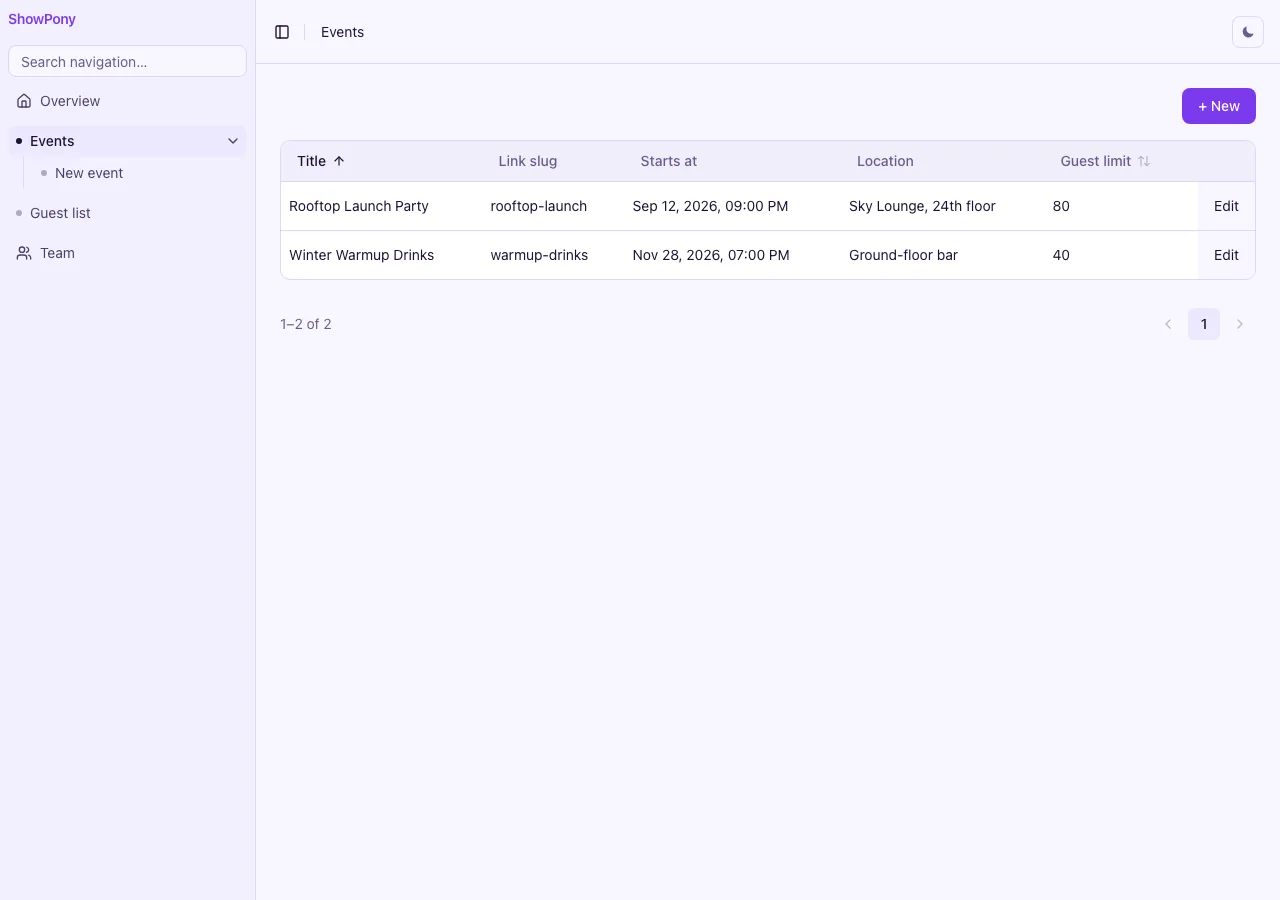
Learn by building. Show Pony is a full RSVP app — a host creates an event, shares one link, guests reply yes / no / maybe without an account. Every line is open source (MIT) and every step is documented as a tutorial. It’s the fastest way to see how a real Kumiko app fits together, end to end.
What you get: a working codebase you can run locally in minutes, a live demo you can click through right now, and a chapter-by-chapter guide that explains why each piece exists — not just what it does.
Start here
- Follow the tutorial → docs.kumiko.rocks/en/show-pony — from empty repo to deployed app, chapter by chapter.
- Click the live demo → show-pony.kumiko.rocks — browse-only, host and sysadmin credentials are shown on the sign-in screen.
- Read the source → github.com/CosmicDriftGameStudio/show-pony — MIT, clone and run.
The hard parts, in full
Every B2B app rebuilds these. In Show Pony each one is a few lines, and this is all of it — no framework magic hidden offscreen.
Tenant isolation. The tenant comes from the subdomain, never the guest’s payload, so an anonymous guest can write safely and nobody can forge another tenant’s data.
async function enabledTenantByKey(db: DbConnection, key: string): Promise<TenantId | null> {
  const row = await fetchOne<TenantRow>(db, tenantTable, { key });
  return row !== undefined && row.isEnabled === true ? row.id : null;
}

// The subdomain IS the tenant — read it from the Host header, never the payload.
const host = hostnameOf(c.req.header("Host") ?? "");
if (host === baseDomain || host === `www.${baseDomain}`) return null;
if (host.endsWith(`.${baseDomain}`)) {
  return enabledTenantByKey(db, host.slice(0, -(baseDomain.length + 1)));
}
return null;
An event-sourced entity. A typed model plus an append-only event store, two lines.
export const rsvpEntity = createEntity({
  fields: {
    eventId: createTextField({ required: true, searchable: true }),
    name: createTextField({
      required: true,
      sortable: true,
      searchable: true,
      allowPlaintext: "guest-list search/sort, no KMS provisioned",
    }),
    email: createTextField({ searchable: true, allowPlaintext: "guest-list search, no KMS provisioned" }),
    status: createSelectField({ options: RSVP_STATUSES, default: "yes", filterable: true }),
    plusN: createNumberField({ sortable: true }),
    note: createLongTextField({ allowPlaintext: "anonymous-guest-input" }),
  },
});

export const rsvpTable = buildEntityTable("rsvp", rsvpEntity);
export const rsvpExecutor = createEventStoreExecutor(rsvpTable, rsvpEntity, { entityName: "rsvp" });
Full CRUD screens and per-handler access, one line.
const hostAccess = { access: { openToAll: true } } as const;

registerEntityCrud(r, "event", eventEntity, { write: hostAccess, read: hostAccess });
auth ~7 lines · tenancy ~10 · event-sourced entity ~2 · crud + permissions 1 line — all Kumiko built-in.
What you’ll learn
Show Pony is small on purpose, but it touches the parts every real app needs:
- Multi-tenant, done right. The tenant comes from the subdomain, never from the guest’s payload — so anonymous guests can write safely and nobody can forge another tenant’s data. This is the core lesson, and it’s a pattern you’ll reuse in every Kumiko app.
- Declarative screens. Host dashboard, event editor and live guest list are
EntityList/EntityEditscreens registered against the feature graph — no hand-rolled CRUD UI. - Auth without the boilerplate. Host login and seeded admin via
auth-email-password. - Email that swaps for production. Confirmation mail via
mail-foundation— in-memory for the demo, real SMTP in production without touching the code. - Public surfaces. The anonymous invite page and an
.ics“add to calendar” download, served from the same Bun server. - Deploy for real. Dockerfile, checked-in SQL migrations, seed data, health checks — the app auto-deploys.
The chapters
The tutorial walks the whole path: modelling the event and rsvp entities, wiring the host workspace, building the anonymous guest page, adding confirmation mail, apex marketing + legal pages, and shipping to a subdomain in production. Every chapter links its local and cloud URLs, so you can check your work against the running demo as you go.
When you finish, you won’t have read about Kumiko — you’ll have built and deployed a real multi-tenant app with it.