

Product

Kumiko Studio: describe an app, the AI builds it

In Kumiko Studio you describe your app, the AI builds it, you change it in conversation and publish it. Each step shows what runs today.

Last updated: October 2026

studio.kumiko.rocks
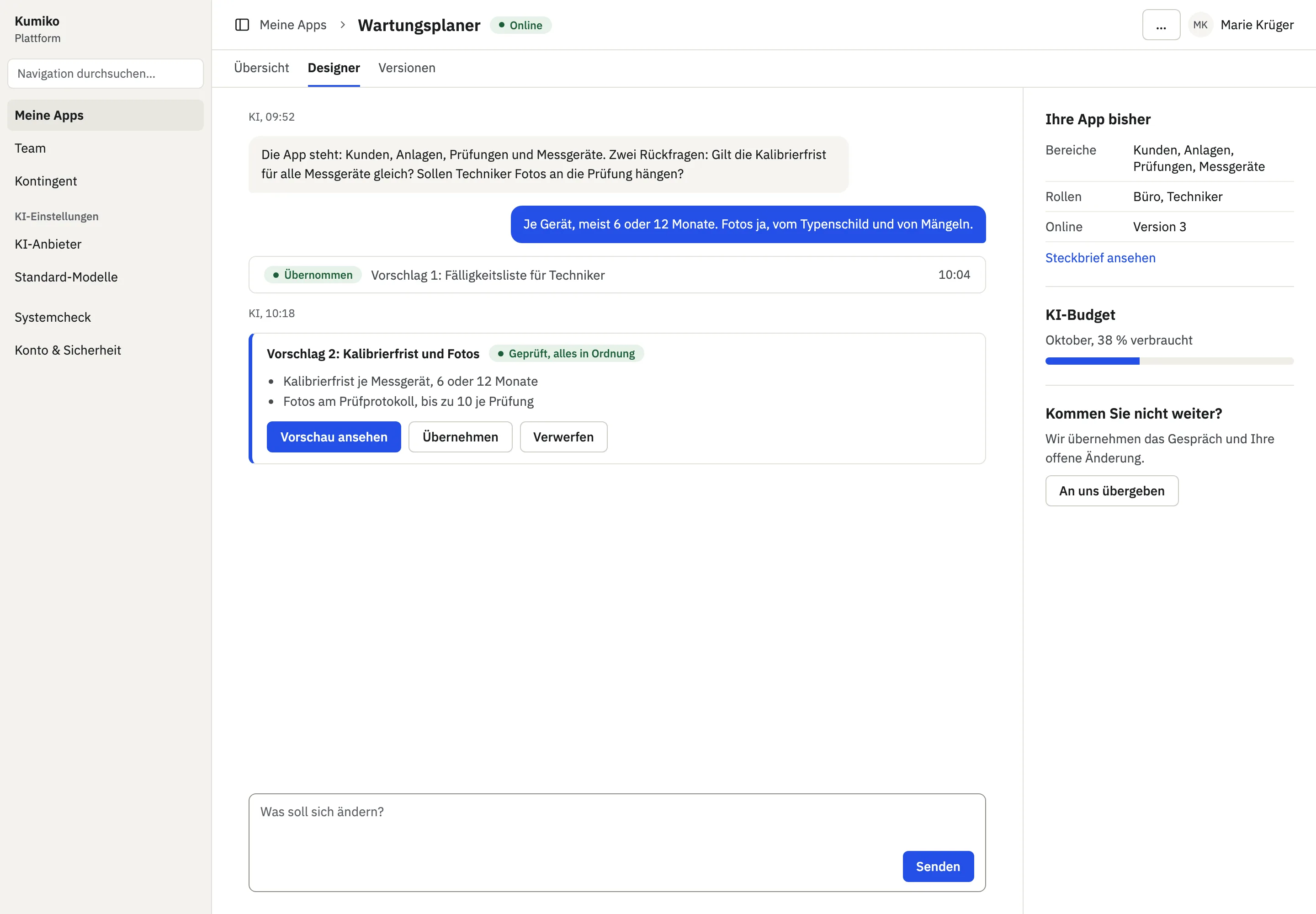
The conversation for one app with a follow-up question, a checked proposal and the handover to us
Draft, German UIThe conversation for one app with a follow-up question, a checked proposal and the handover to us

How an app comes together

From a description to a running app

Each step shows whether it runs today, is being built right now or is still planned.

Live todayruns on studio.kumiko.rocksIn progressbeing built nowPlannedplanned, not started yet

Images marked “Draft” show the design draft, not the running software.

  1. 01Live today

    Account and apps

    You sign in on studio.kumiko.rocks. There you see your apps with their status, your quota and the AI settings.

  2. 02In progress

    Describe the app

    You describe in plain language what the app should do. The AI turns that into an app profile: who works with the app and what they may do, and whether files, PDFs or emails are part of it. It asks about anything still open. Each point shows what it means for size and running costs. Login, users and separate data per company are always included. The AI builds the first version from the profile.

    Until this step is done, we set up new apps together with you.

  3. 03Planned

    Checked before you see it

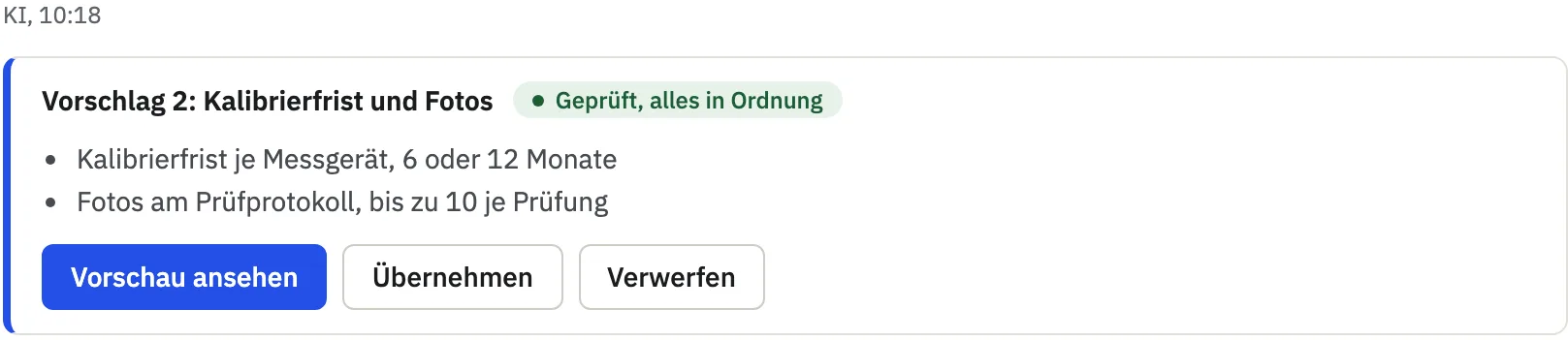
    Every AI proposal runs through an automatic check of code, data model and framework rules before it reaches you. If the check fails, the AI repairs it itself. If that does not work, the request comes to us. In a preview you try the change without touching the data of the running app.

    studio.kumiko.rocks
    A checked proposal with preview, accept and discard
    Draft, German UIA checked proposal with preview, accept and discard
  4. 04In progress

    Change it in conversation

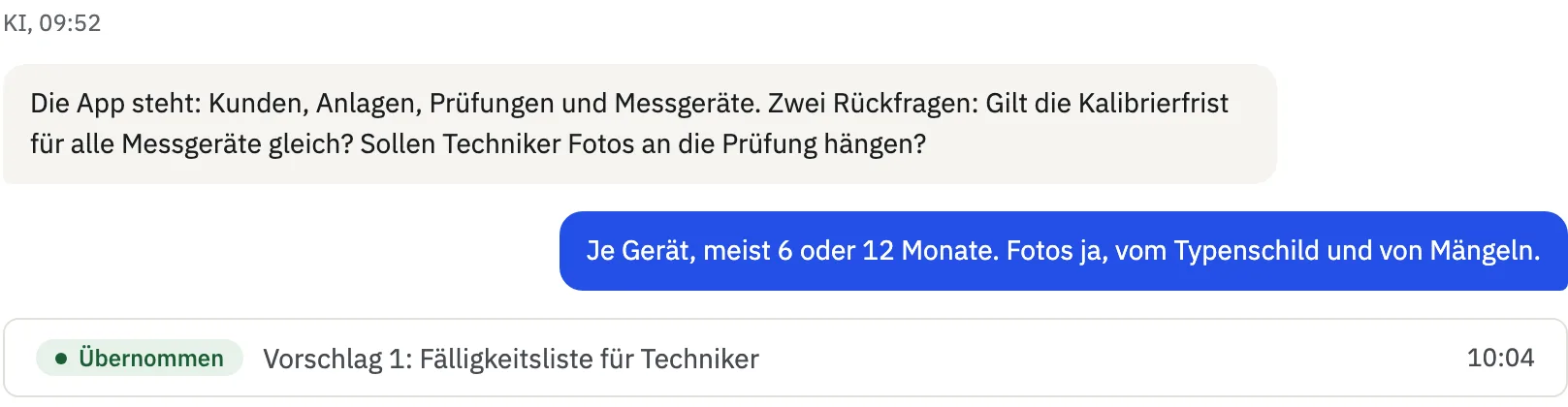
    Each app has its own conversation with history. The AI asks follow-up questions and answers in the language of your field. Nothing is adopted until you approve it. You only see code if you expand it.

    studio.kumiko.rocks
    A follow-up question from the AI, your answer and an accepted proposal
    Draft, German UIA follow-up question from the AI, your answer and an accepted proposal
  5. 05In progress

    Publish

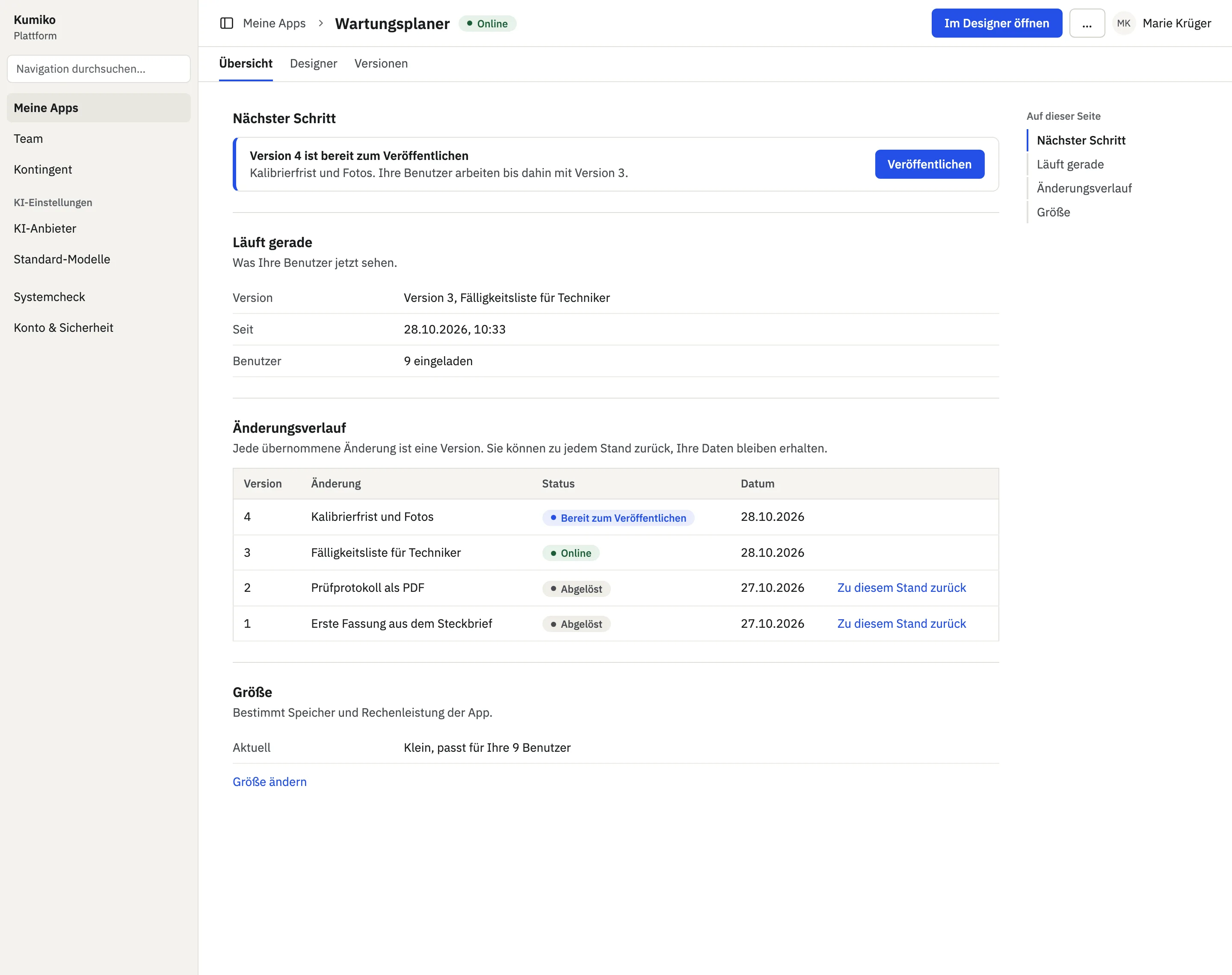
    One button takes the change live, and the new version is created along the way. You follow the progress on the app page, and errors are explained in plain language. If the start fails, the previous version keeps running.

    studio.kumiko.rocks
    A new version waiting to be published
    Draft, German UIA new version waiting to be published
  6. 06In progress

    Hand it over to us

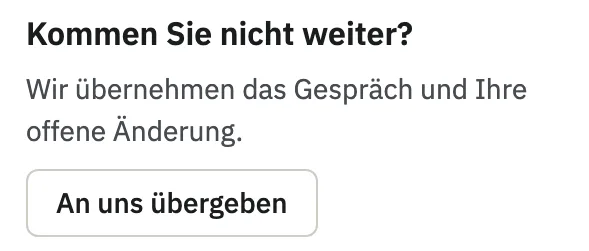
    If you get stuck, you send the request with its history to us. We build it and add it to your conversation as a proposal. You approve it like any change of your own.

    studio.kumiko.rocks
    Handing over to us straight from the conversation
    Draft, German UIHanding over to us straight from the conversation
  7. 07In progress

    Keep the app in view

    The app page shows the app's address and status, the last accepted change and how much of your account quota the app uses.

    studio.kumiko.rocks
    The app page with status, history and size
    Draft, German UIThe app page with status, history and size
  8. 08In progress

    Go back to an earlier state

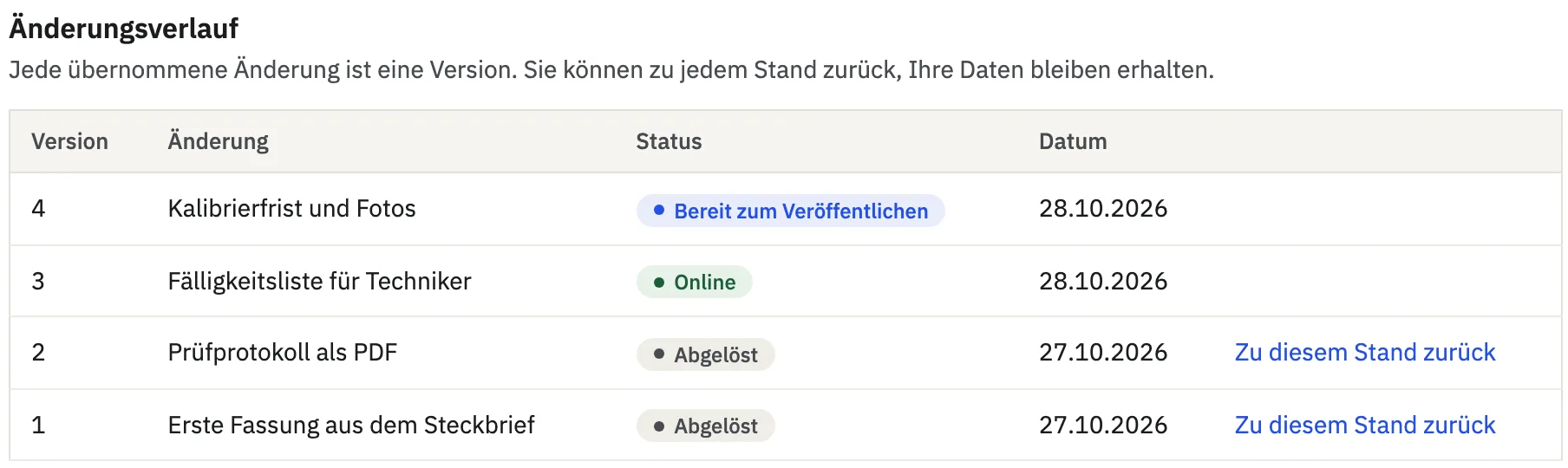
    Every accepted change appears in the history, described in the language of your field. With “Go back to this state” you restore an earlier version. Your data stays in place.

    studio.kumiko.rocks
    The version history with the way back
    Draft, German UIThe version history with the way back
  9. 09Planned

    App size

    Each app gets a fixed size class with set values for compute, memory and storage, with no free sliders. Your plan caps the total across all apps in the account.

    studio.kumiko.rocks
    The size of an app on the app page
    Draft, German UIThe size of an app on the app page

More on the product

Next step

Want to try the Studio?

Studio accounts are currently by invitation. Tell us what your app should do. If you already have an account, sign in directly.

Built with Kumiko · publicstatus.eu in production