
Showcase · live in production
Self-hostable Atlassian Statuspage alternative with five monitor types, a second check region, heartbeat monitoring for cron jobs, webhooks, an API with docs, custom domains and white-label branding. The AI assistant (Enterprise) proposes an incident and a person approves it. Every change is an event, history included. Live at publicstatus.eu since 2026-10-04. We use it ourselves for status.kumiko.rocks.
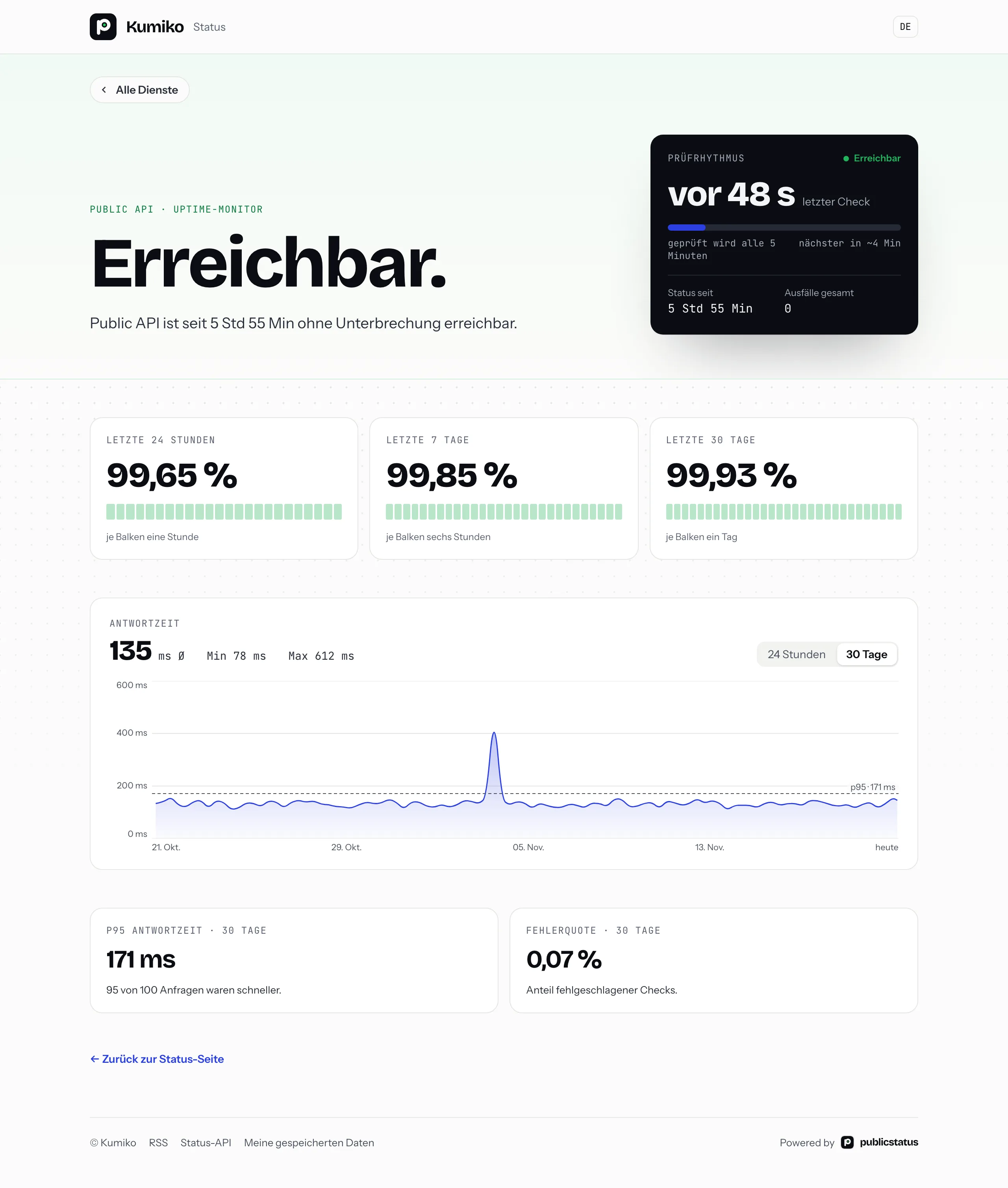
The assistant proposes the change, you approve it, then it is applied.
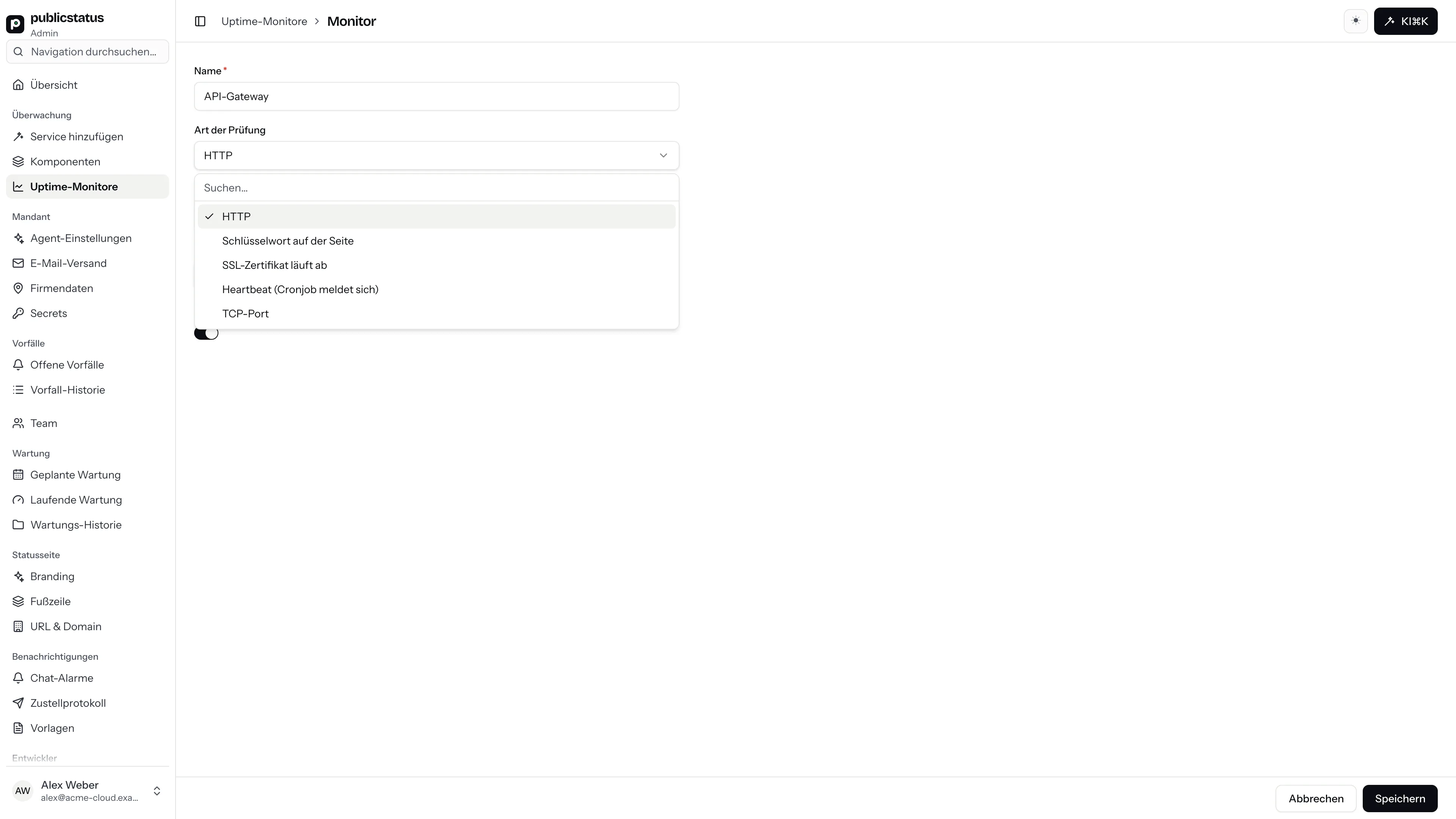
Five monitor types, from HTTP checks to a heartbeat for your cron jobs.
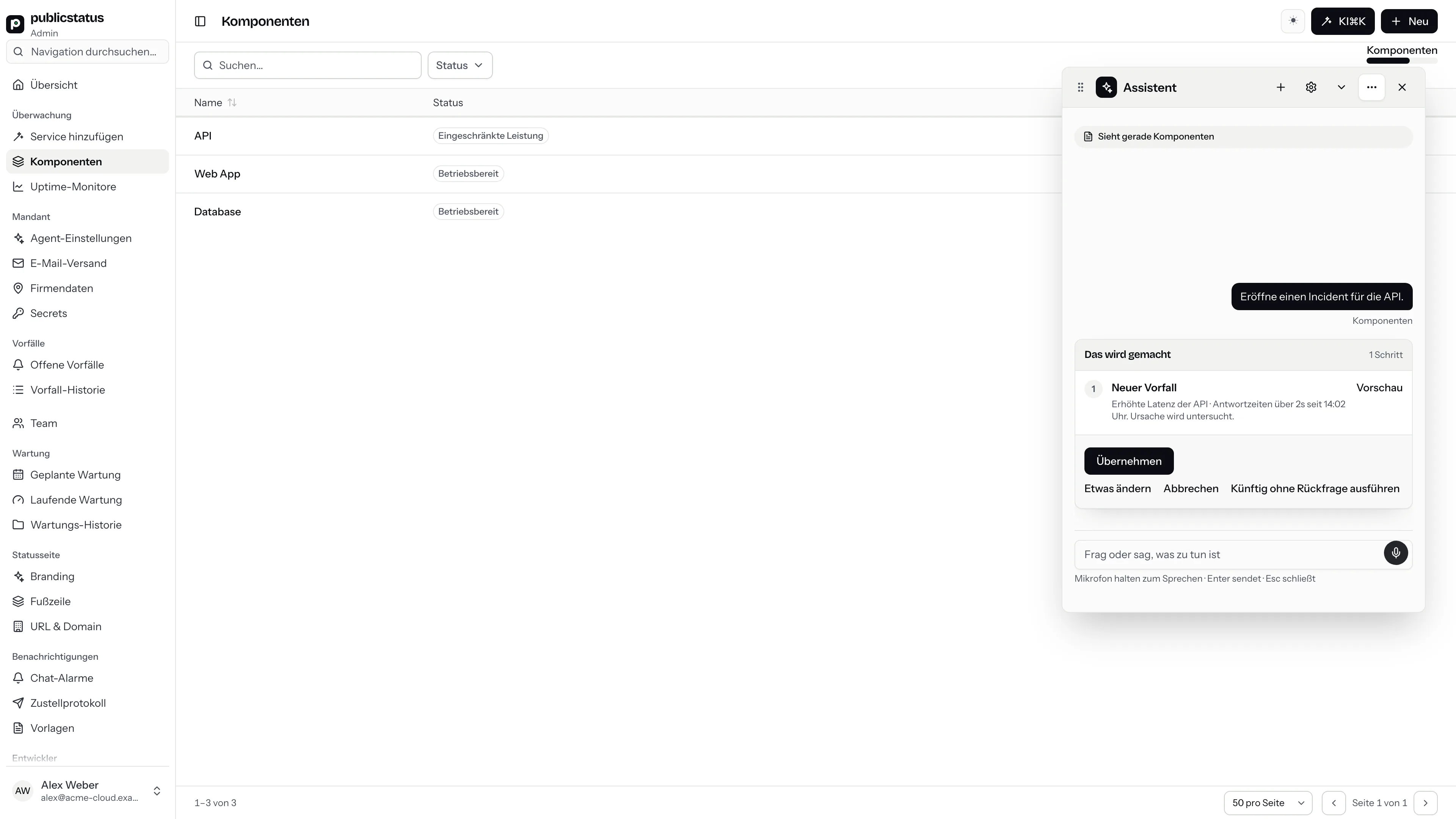
The assistant proposes, a person gives the approval.
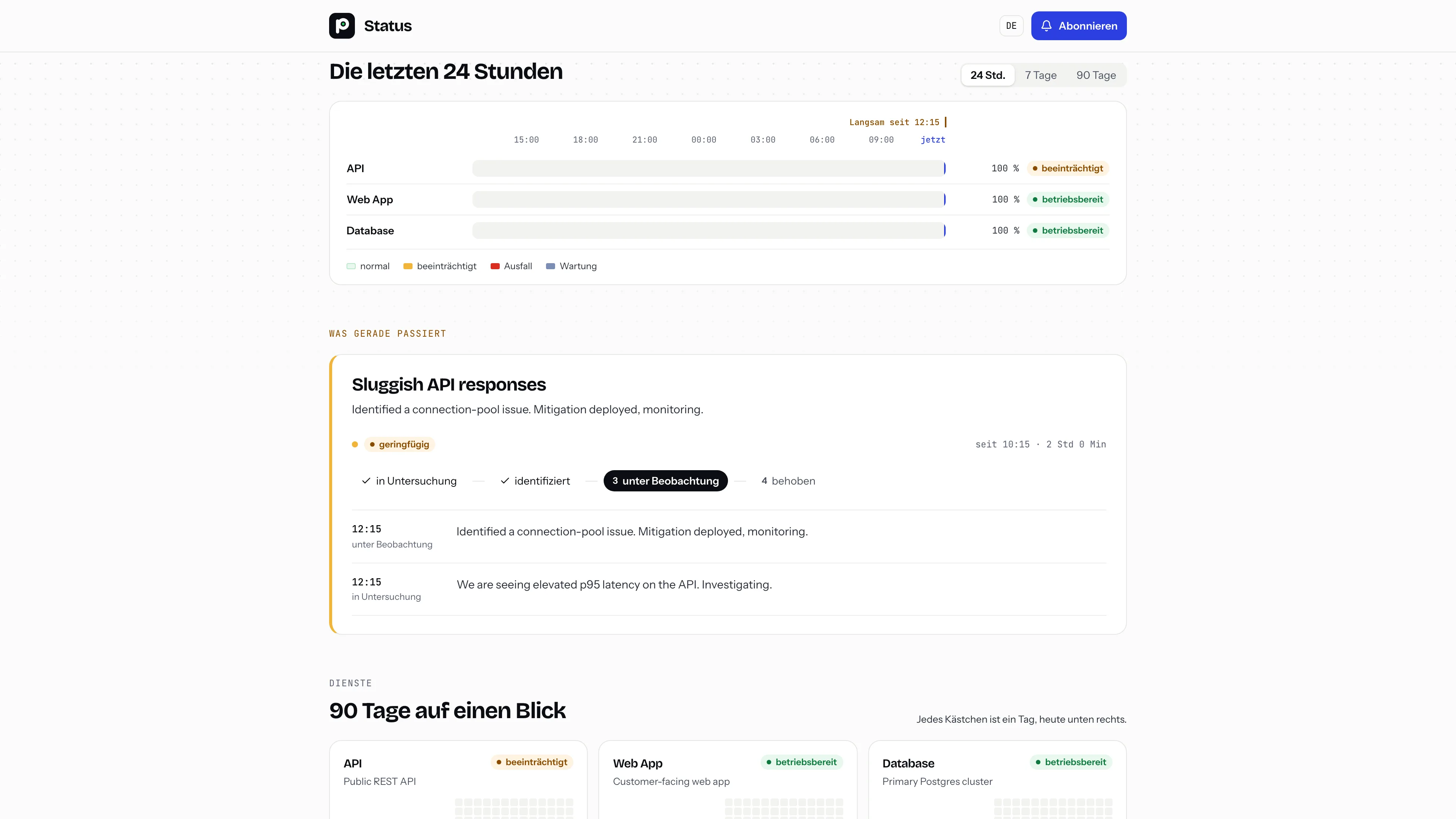
Every update is an event, so the incident timeline is the history.
How it's built
defineFeature("publicstatus", …)
Component CRUD, incident open, post-update and resolve, maintenance schedule. Each transition emits an event, so the full timeline can be reconstructed.
Events →Monitors + SSE
HTTP, keyword, SSL expiry, TCP port and heartbeat monitors with availability and latency history. Subscribers of the public page see status changes through Redis pub/sub, no client polling.
Chat alert channels →AI assistant
The assistant (Enterprise) works on the same handlers as the admin screens. It proposes an incident, shows an approval card and acts only after approval.
AI assistant →API tokens + custom fields
API tokens with scopes and generated API docs, webhooks and custom fields on the entities you already use.
Personal access tokens →Subdomain + custom domain
acme.publicstatus.eu goes to tenant Acme. publicstatus.eu/a is admin and sign-in. Custom domains are verified through DNS in admin, all served by one Bun app.
Public pages →billing-foundation
Checkout consent, the operator address and the cancellation pages come from the billing-foundation consumer-protection option. White-label is a cap of the Agency tier.
Plans and checkout →Hosting reality
Runs on a Kubernetes cluster at Hetzner that is managed with Pulumi. The ingress splits publicstatus.eu by path between the app (admin under /a, APIs) and the Astro site. Status pages live on tenant subdomains. Those and custom domains go to the app, and custom domains get a Let's Encrypt certificate through the cluster.
Continue in the docs
The docs take you from the first command to a running app. The Show Pony tutorial walks through the whole path on a real application.